Give a vendor manager access, not ownership. Google’s roles differ in exactly two permissions: an owner can add and remove users and can remove the profile, and a manager cannot do either. Google’s own description of the manager role is that it otherwise has mostly the same access as an owner. Everything a local search engagement involves fits inside that.
Owner access
An owner controls the profile and controls who else can reach it. Adding users, removing users, changing what role somebody holds, and removing the profile entirely are owner-level actions. A profile can carry several owners at once.
Manager access
A manager edits. Business information, hours, categories, the services list, photos, posts, review replies — all of it is available to a manager, which is why manager access is the correct level for anyone doing the work rather than owning the business. There is no task on that list that requires the power to delete the thing you are being paid to improve.
The primary owner
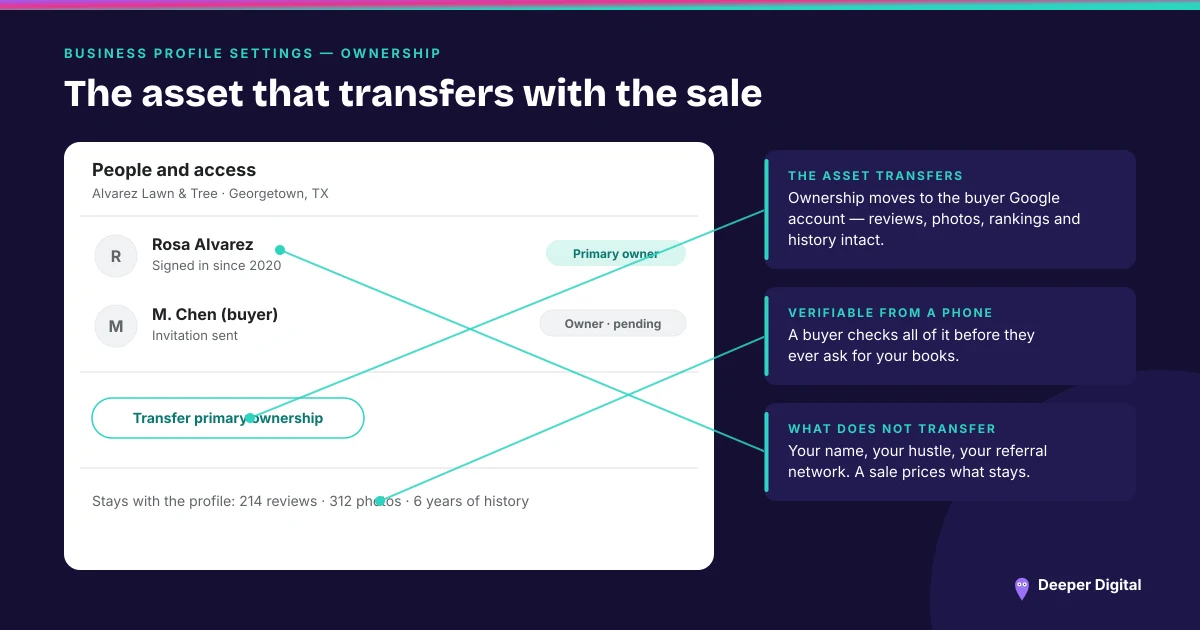
Multiple owners are allowed, but only one account is the primary owner, and primary ownership can be transferred to another owner. This is the field people discover at the worst possible moment: the business “has owner access,” and so does the agency, and the agency’s account is the primary one. Check which account holds primary ownership before you change anything else.
What to hand a vendor, in order
Claim and verify the profile on an account the business owns — a business email address the owner controls, not a personal address belonging to whoever happened to set it up, and not the vendor’s. Then add the vendor as a manager. Then hand over nothing else.
Done in that order, ending an engagement is one click. Done in the other order, it is a support case. The 15-minute profile checklist is worth running the same afternoon, because access is usually not the only thing a previous vendor left in an odd state.
When the account is already gone
If the profile sits on an account nobody at the business can log into, that is a separate problem with its own process, and it is the most common shape of the local SEO scam: the listing was never wrong, it was just never yours. The fix starts by establishing who Google currently thinks the owner is, not by creating a second profile.
Before you remove anyone
Look at the user list, note the primary owner, and transfer primary ownership to the business account first if it is somewhere else. Removing a manager is safe. Removing an owner while they hold primary ownership is the step that goes wrong.
Open your profile’s user list this week and read it. A former vendor still sitting there as an owner is the first thing to fix, ahead of any photo, post or citation. Getting access straight is where onboarding starts — what happens after that is on the services page.
 NASP
NASP  Wild Foods Co.
  Noble Origins
  Cowboy Pools
  BT Biltong